
Alpine IT · Keypad button control
Vantage Infusion Keypads
Bring your Vantage InFusion keypad buttons into Crestron Home. Import each physical keypad, then assign its buttons to a Home command or sequence in Configure Pro.
Your keypads. Your Home commands.
- Import individual physical keypads with their buttons included.
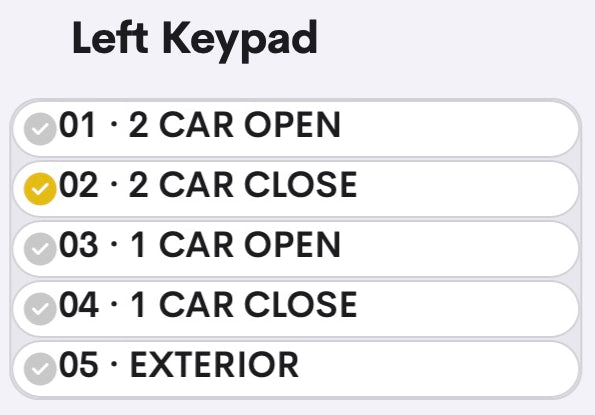
- Numbered buttons follow their physical order in the Vantage project.
- One action event per button. Press and release are handled internally.
- Optional Repeat while held for commands that should repeat. Leave it off for one-time actions.
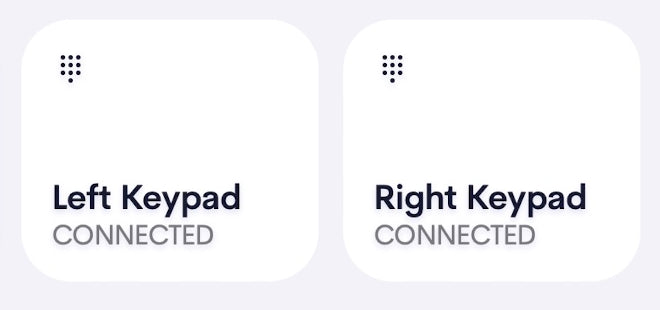
Keypads in Crestron Home
Assign each keypad to a room, then program its numbered button events in Configure Pro.
Installation and compatibility
Requires a Vantage InFusion controller with its project and Host Command services enabled, plus Crestron Configure Pro. Verified reference: CP4-R, Home OS 4.012.0194 and Configure Pro 4.12.174. Review the help PDF and test the free trial in your installation.
Install alongside Alpine’s Vantage Infusion Lighting driver when both functions are required. Each product has its own license; one purchase does not unlock the other.
Repeat while held repeats the entire assigned action event. Release stops further activations; it does not cancel a Home sequence already running.
Processor-bound keypad license
Vantage Infusion Keypads
- One keypad license for one Crestron processor
- Free 30-minute commissioning trial
- Local, MAC-bound license validation
- License key emailed separately after payment
The 30-minute trial starts with the driver or processor reboot. A valid keypad license enables continuous operation.
Secure checkout through Shopify. One processor per line item.
Your license email is separate from the order confirmation. Check spam or junk if it does not arrive.